
Taxi software for operators
Taxi Booking and Dispatch Software for Taxi Operators
Bring online bookings, driver allocation, trip progress and invoicing into one operator workspace.
Manage bookings, drivers, vehicles, pricing and invoices without separating booking and dispatch into different workflows.
The Core Tools for Running Taxi Operations
-
Online bookings and quotes
Accept booking enquiries and quote requests through your website.
-
Driver dispatch
Assign drivers manually, with automatic and offer-based dispatch available on eligible plans.
-
Trip progress
Follow confirmed jobs from driver assignment through pickup and completion.
-
Configurable fares
Calculate fares using your configured rates, fees and extras.
-
Card payments and invoices
Take card payments through your Stripe account and manage customer invoices.
-
Operator reporting
Review booking, revenue and driver reports from the admin workspace.
From request to completion
Keep the Booking and the Job in One Workflow
-
Receive the request
A customer submits a booking or quote request online and your office receives the update.
-
Confirm and allocate
Once the booking is confirmed, assign a driver manually or use eligible dispatch options configured for your account.
-
Follow the job
Drivers update progress as they travel to pickup, arrive, collect the passenger and complete the trip.
The exact quote, approval and payment stages can vary by booking path, so your workflow isn’t forced into one identical sequence for every request.
Operator workspace
See What’s Happening Across Your Operation
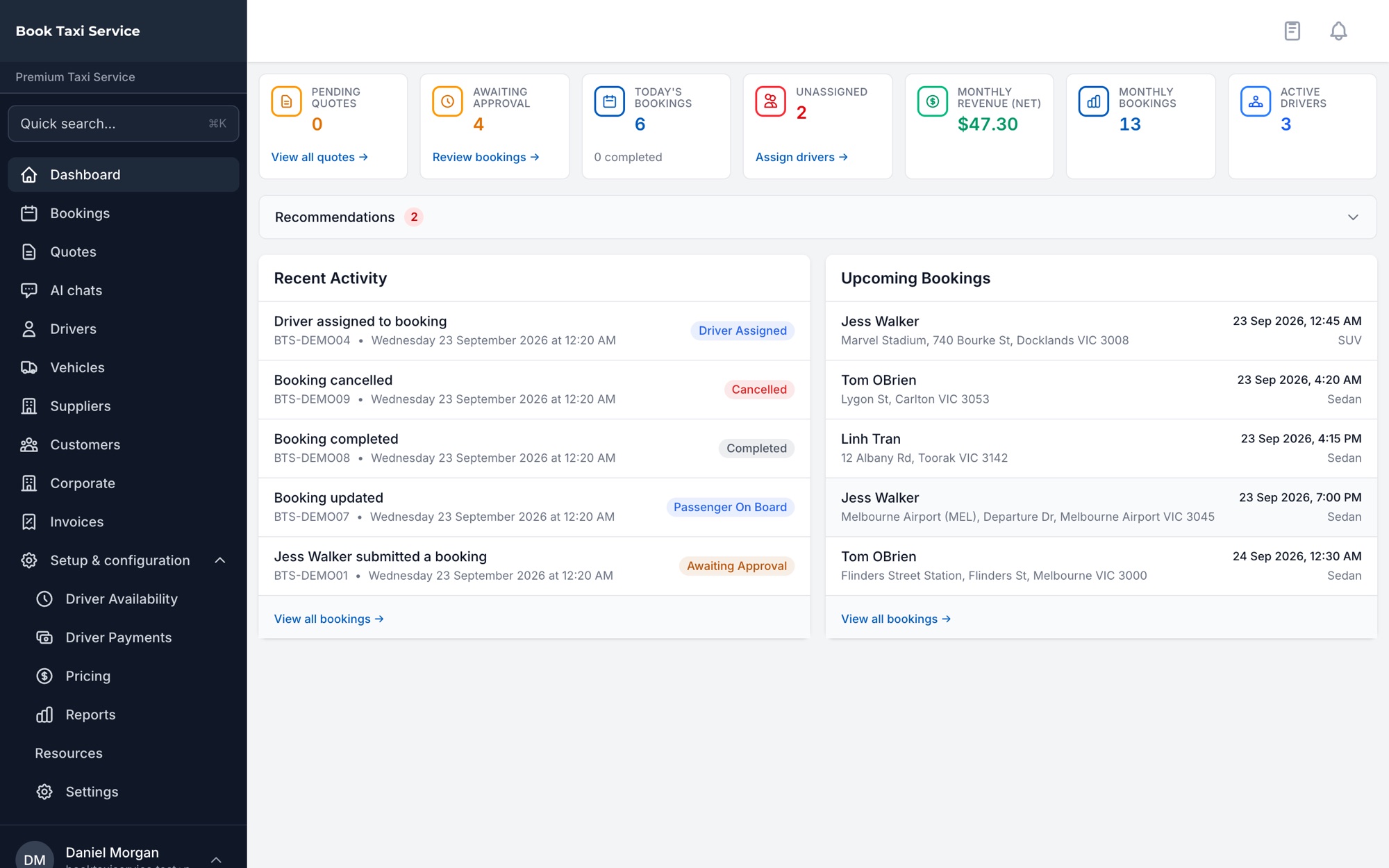
Manage daily operations from an authenticated operator admin workspace. Move between your dashboard, bookings, dispatch board, drivers, vehicles, pricing, invoices, reports and settings without treating each part of the job as a separate system.
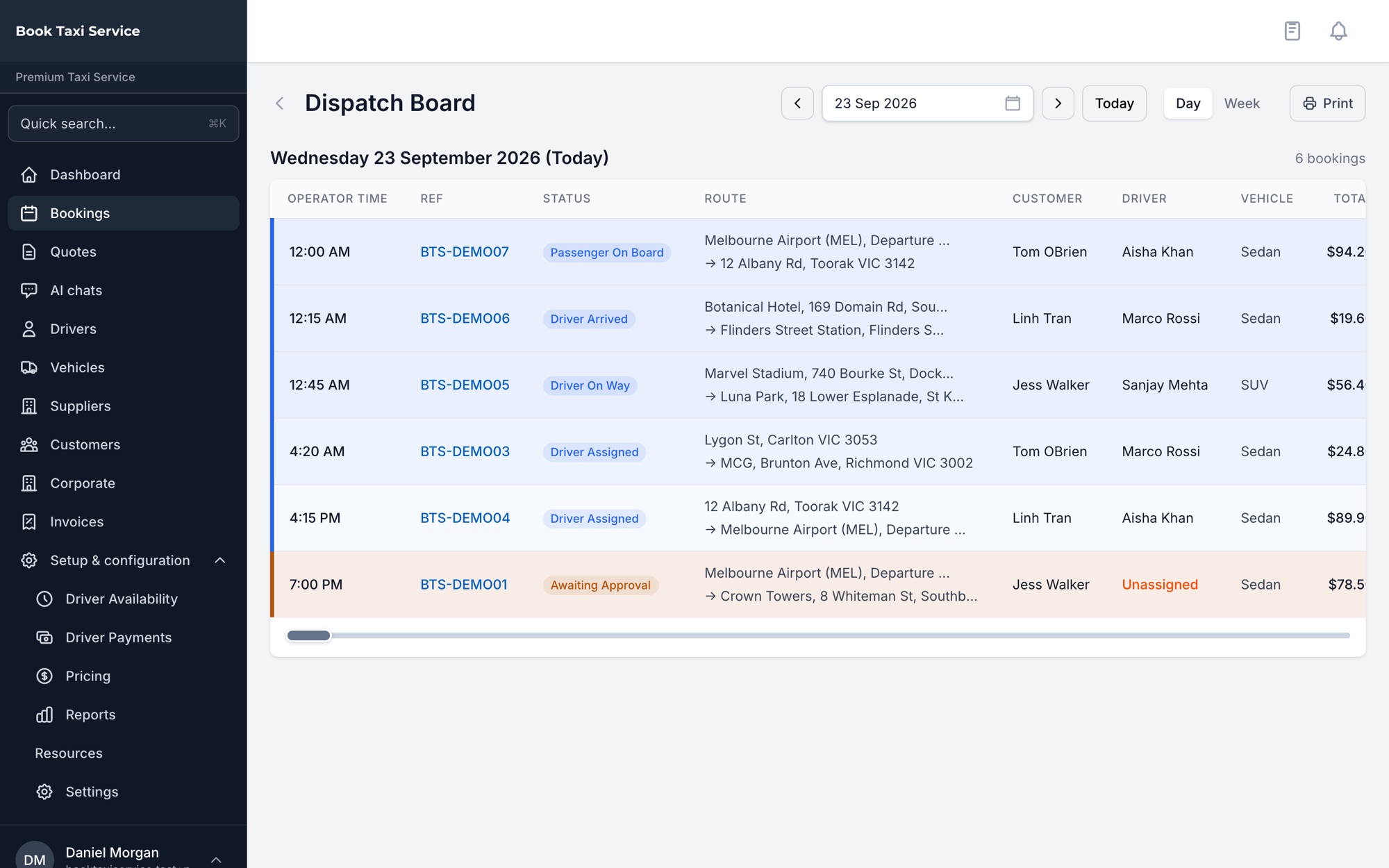
Operator dashboard shown for product illustration. Available screens and actions depend on account entitlements.
Online booking
Take Bookings and Quote Requests Through Your Own Website
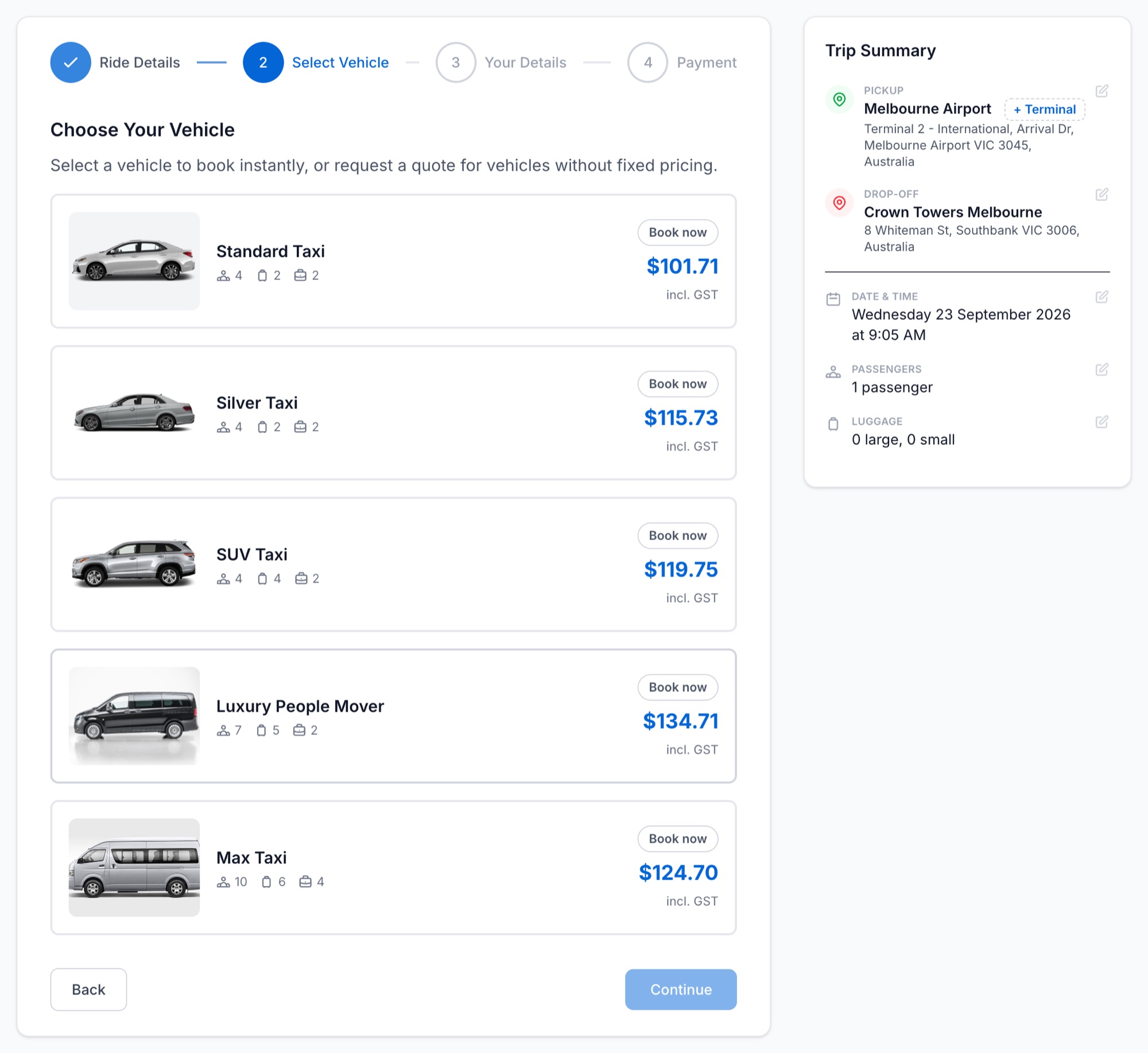
Add a booking form to your website or share your operator booking link directly with customers.
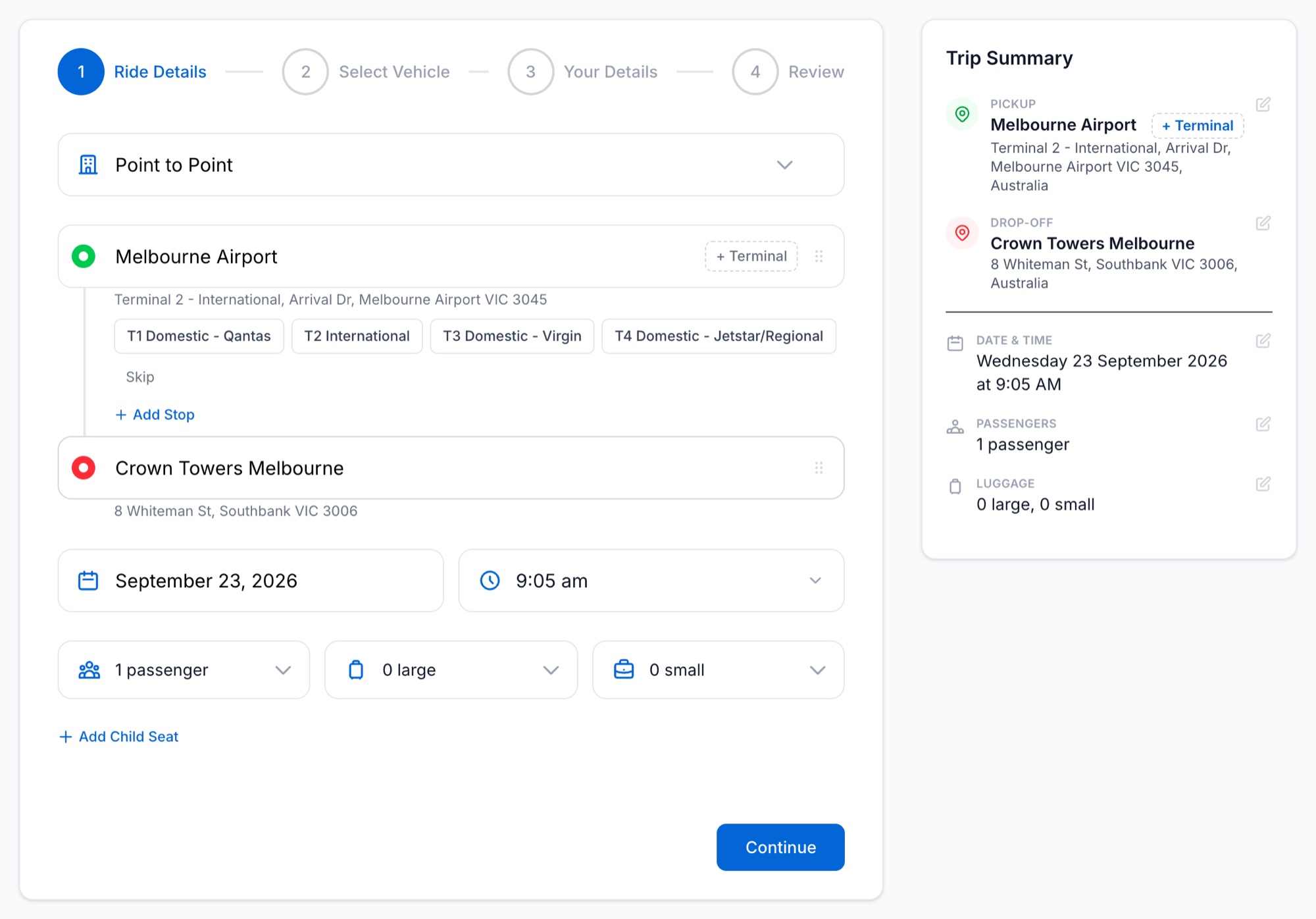
Customers can request quotes, choose an offered option and accept it online. They can sign in on your operator booking page to view their bookings, and online payment is available for supported booking and quote-acceptance paths.
Configure services including airport transfers, point-to-point trips and hourly bookings, with fares calculated from the rates, surcharges, fees and extras you’ve set. Starter supports quote requests; instant booking and advanced pricing configuration are available from Growth.
Dispatch
Allocate Drivers and Follow Each Job Through to Completion
Assign a driver yourself or, on eligible plans, use automatic and offer-based dispatch.
For ASAP and scheduled work, the system can find eligible drivers using availability and recorded location. Drivers can then view jobs, respond to offers and update trip progress through the driver web portal.
Share an invitation link so drivers can submit their details and a licence image for your review before activation.
Payments and updates
Take Payment and Keep Customers Updated
-
Payments
Take fares through your own Stripe account, with immediate capture as the default and other configured capture policies available.
-
Invoices and refunds
Create invoices and issue full or partial booking refunds.
-
Communications
Send supported booking and trip updates by configured email and SMS, with push notifications available to registered devices. Private passenger-driver calling and texting through a relay number is available where the masked-calling add-on and provider configuration are active.
Business customers
Give Corporate Customers Their Own Booking Portal
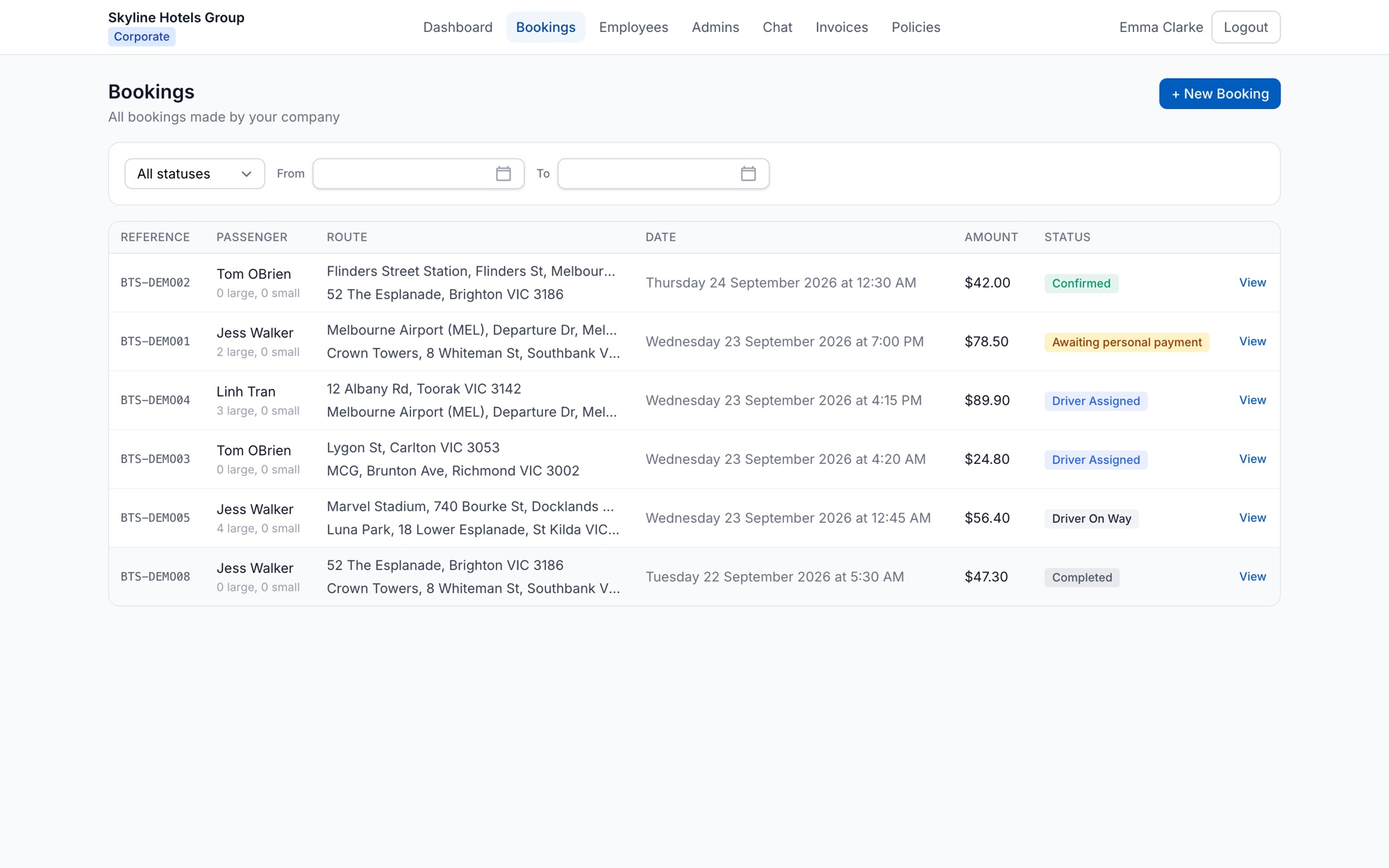
Give company administrators a portal where they can manage employees and bookings, view balances, download invoices and view the booking policies you set. Prepaid accounts can also be topped up online.
Configure prepaid balances, consolidated invoicing or per-booking billing. Corporate bookings can be consolidated into weekly or fortnightly invoices, with operator review available where required.
Your brand
Put Your Brand on the Customer Booking Experience
White label taxi software keeps your business in front of your customers. Use your logo and configured colours across the booking experience, so customers book with the taxi business they already know.
Customer emails can display your business name while delivery continues through the platform-configured sending address.
Deployment
Running in Production With an Australian Taxi Operator
BookTaxiService runs the live booking, dispatch and payment workflow for Premium Taxi Service, an Australian taxi operator working across Melbourne, Sydney and Brisbane. Around 460 bookings a month, since March 2026. One operator, running for real.
Built for taxi operators
Keep Control of the Operation You’re Building
-
One operator workspace
Keep your bookings within your own operator workspace, with operator context and query scoping built into the application.
-
Built for Australian and New Zealand operators
Operator registration supports Australian and New Zealand business details and local currencies, subject to an available self-serve plan.
-
Your customer-facing brand
Use your logo and colours on the booking experience while your team works from the BookTaxiService operator platform.
-
From booking to operations
Bring online booking, driver allocation, trip progress, payments and invoicing into a connected operator workflow.
Get started
Choose a Plan and Start Taking Bookings
See the plans, what signup involves and what happens after you pay. Your account is ready once payment is confirmed.
Prefer to talk first? Request a call back or book a demo. Australia and New Zealand.