
Customer portals
Taxi Customer Self-Service Portal
Give customers a direct, operator-branded way to request quotes, make supported bookings and return to view their bookings.
BookTaxiService provides an embeddable booking experience and a shareable operator booking page, with customer sign-in using an email or phone code. Your logo and configured colours can carry your business into the booking experience.
Customer capabilities
Give Customers More Ways to Manage Their Booking
Connect customer self-service directly to the operator booking workflow.
-
Website booking
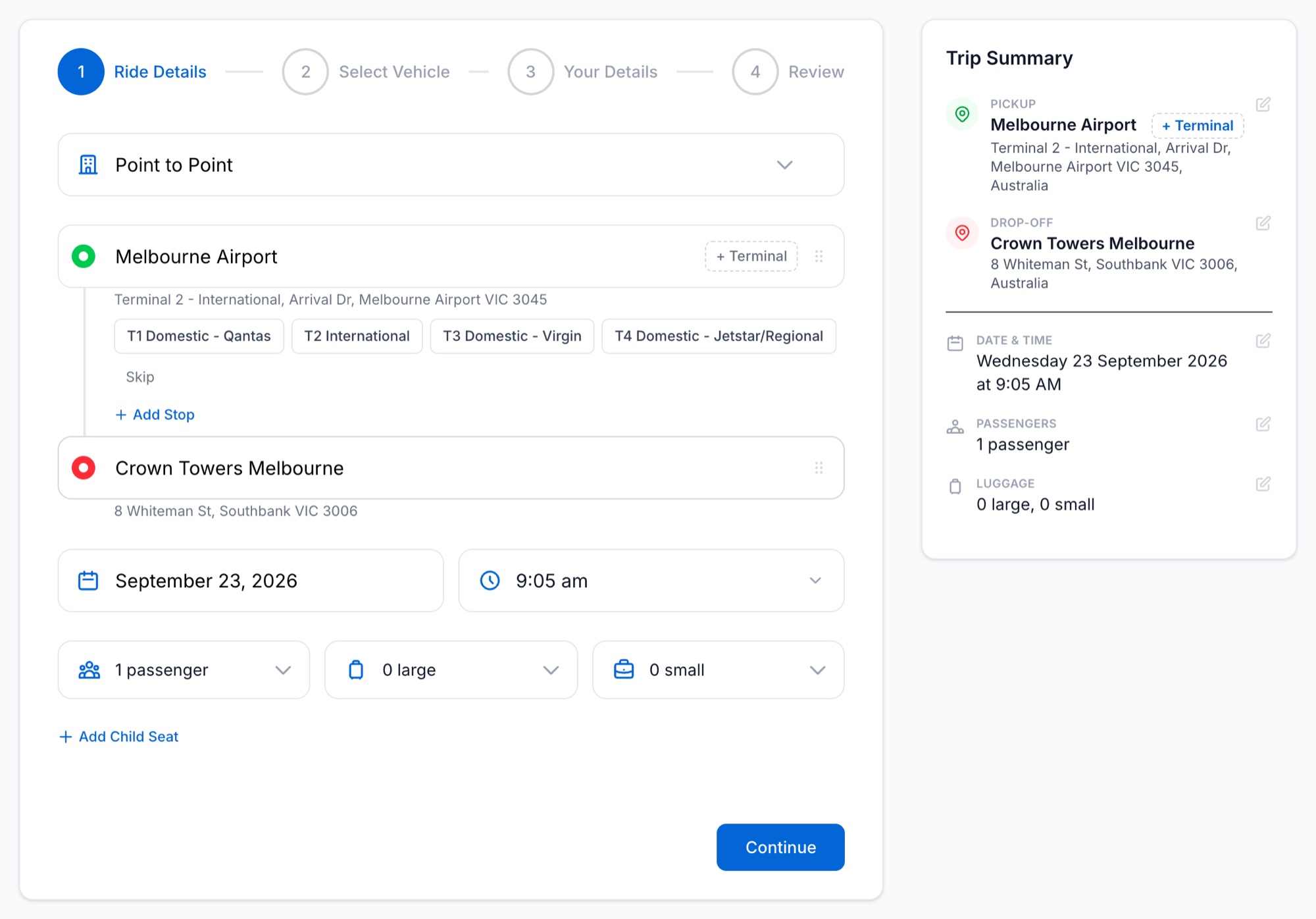
Embed the booking experience on your website so customers can submit supported bookings or quote requests.
-
Operator booking page
Share your operator booking link when you want a direct booking destination outside your website.
-
Customer sign-in
Customers can sign in with an email or phone code and view their bookings within the operator-hosted experience.
-
Your branding
Use your logo and configured colours across the booking experience so the customer-facing journey carries your business branding.
Online booking
Take Customers From Journey Details to the Right Booking Path
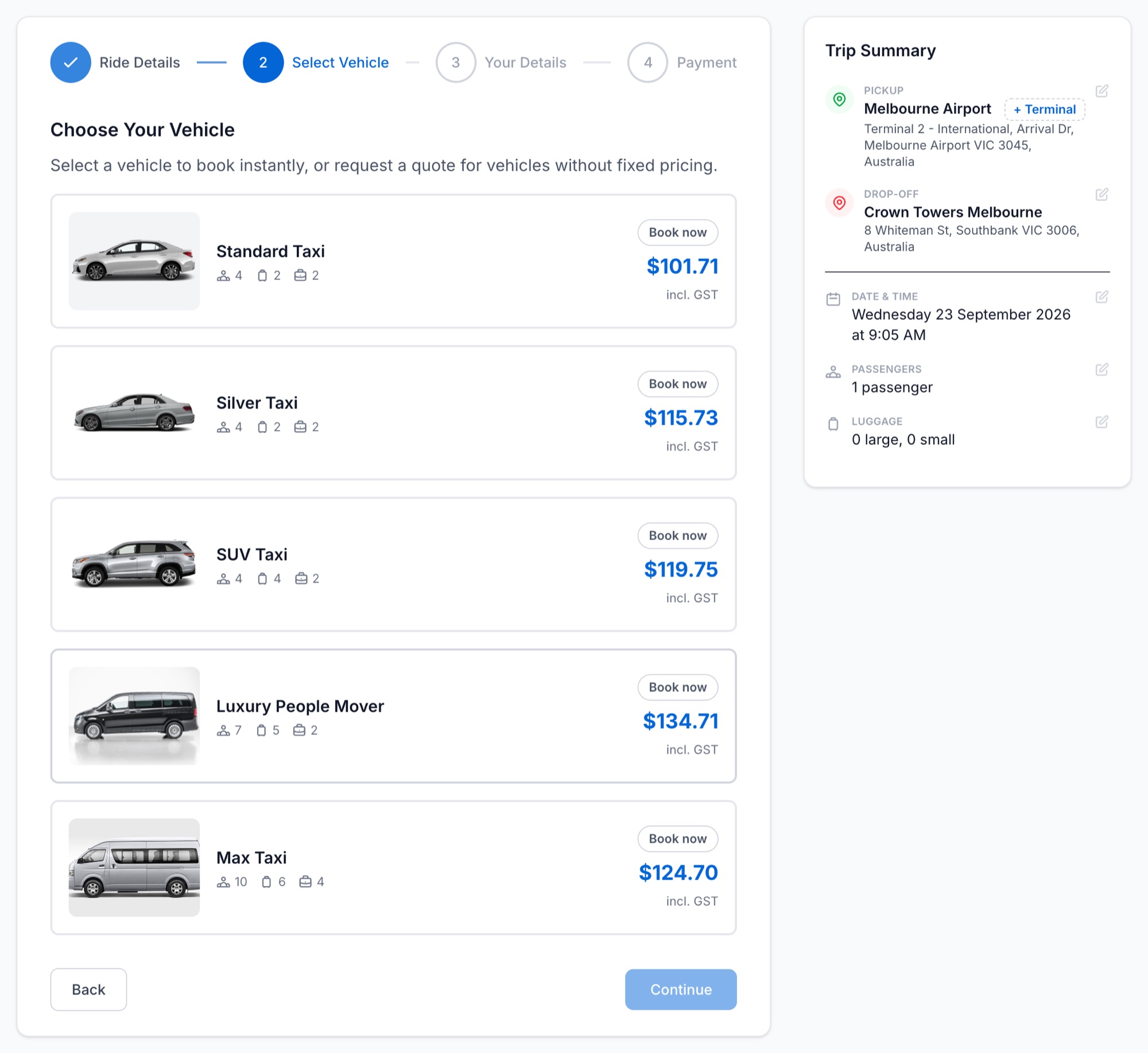
Customers can enter journey details through the booking experience and use service options enabled by the operator.
Supported journeys can use configured fixed, distance or hourly pricing with applicable surcharges, fees and extras. Where automatic pricing cannot resolve a journey, the customer can be directed into a quote path.
Starter supports quote requests; instant booking is available from Growth when enabled.
How it works
From Customer Request to Operator Workspace
-
Customer starts online
The customer uses your embedded booking experience or operator booking page to submit a supported booking or quote request.
-
The operator receives the request
The request enters the operator booking workflow, where quote, approval and payment stages can vary according to the booking path.
-
The customer can return
Customers can sign in with an email or phone code and return to view their bookings on the operator booking page.
Connected platform
Connect Customer Self-Service to the Rest of the Operation
Deployment
Running in Production With an Australian Taxi Operator
BookTaxiService runs the live booking, dispatch and payment workflow for Premium Taxi Service, an Australian taxi operator, through its own branded booking page. One operator, running for real.
See How Customers Book With Your Taxi Operation
Walk through the operator booking page, embedded booking experience, customer sign-in and the operator workflow behind them.
Or create an account on booktaxiservice.au. Australia and New Zealand.